Create a PSS Account
If you haven't yet, please create a PSS Account. Please note there is a $20 application fee.
To Access Your PSS Application
To view or continue your application, login and then on the home page click "My Account" at the top right hand corner.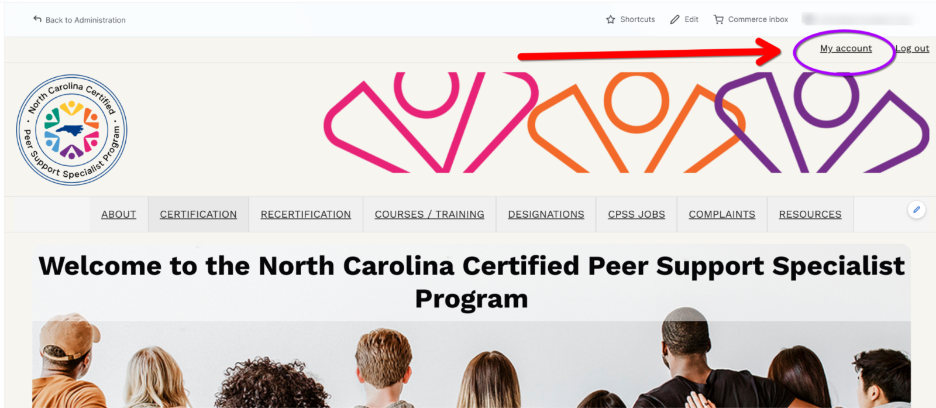
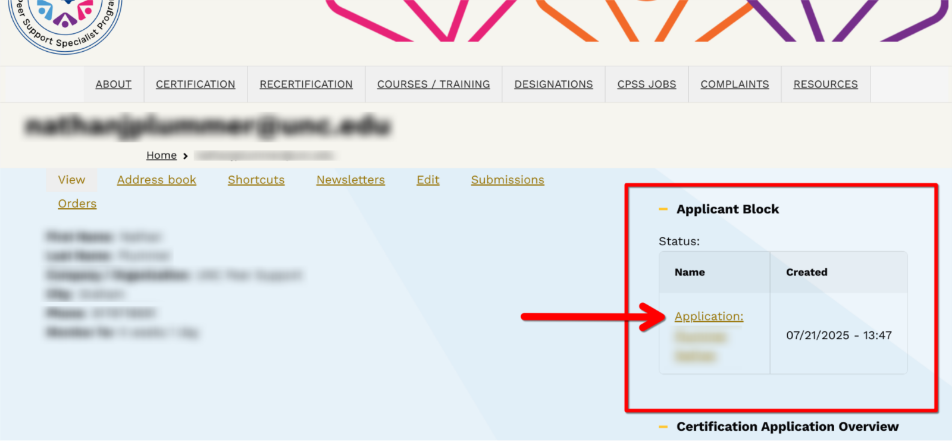
From the next screen, the application block will be on the right-hand side. Click the link inside the block.
How do I edit My Application?
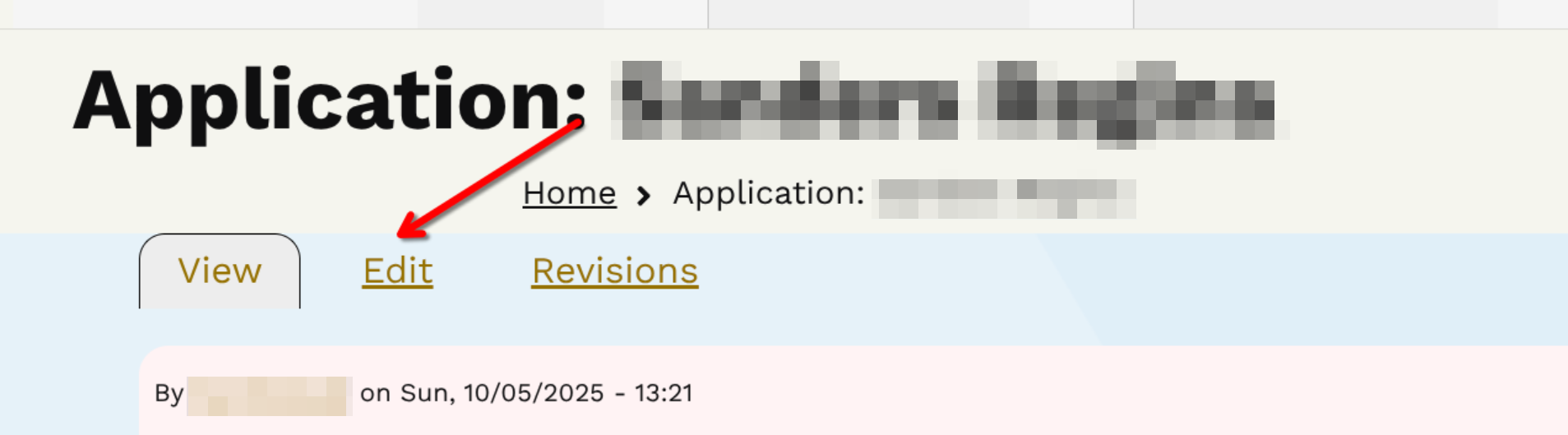
If you need to return to your application at a later date, follow the same steps to open it. Then click on the "Edit" tab to make adjustments.
Was this article helpful?
That’s Great!
Thank you for your feedback
Sorry! We couldn't be helpful
Thank you for your feedback
Feedback sent
We appreciate your effort and will try to fix the article